
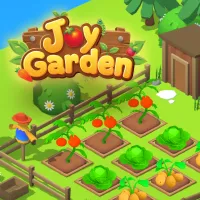
HOW DO YOU PLANT YOUR GARDEN
In Joy Garden you can grow a seed to an ever-expanding garden, blending 3D farming simulation with incremental management, crop care and sales of your harvest. Planting, removing bugs, and earning Gold form the routine that funds further growth. Click a seed slot to select seeds or buy more when supplies run out. Click or drag across empty plots to plant. Clicking a plant that needs care brings up the appropriate tool; drag that tool across several plants to tend them together. Press Esc to close an open window.
Water Drops, Sparkles, and Garden Bugs
Drooping plants with water-drop icons need watering, while sparkles identify crops ready for harvest. These signals will let you know which plants need your attention and which are ready for your next sale. Harvests are available in Small, Normal and Giant sizes. Bugs can also show up on plants, adding pest removal to the gardener's to-do list. Catch them with the net, then sell both bugs and harvested crops for Gold.
Spend Gold Across Six Gardens
Gold purchases faster growth, larger harvests, and additional plots in Joy Garden. Sprinklers automate watering, birds catch bugs, and auto-harvest handles crop collection, allowing these tasks to run automatically. The game includes six gardens, ranging from Beginner’s Plot to Divine Realm, and 40 plants, including carrots, Phoenix Bloom, and Dragon Orchid. Prestige resets your gardens in exchange for Rubies, which unlock items in the Prestige Shop. Daily missions, achievements, and seven-day rewards with boosters add further objectives. The Top Gold leaderboard provides a ranking to pursue alongside garden expansion.
AS YOUR GARDEN KEEPS EXPANDING
Crop care, market sales, upgrades, and automation connect the garden’s daily tasks to continuing progress. Prestige adds a reset option with its own currency and shop.
Turn your next harvest into garden upgrades in Joy Garden.